
Home / Features
Everything a turnover needs, in one app
From the booking that creates the job to the photo that proves it was done, and the appliance that broke along the way.
Scheduling
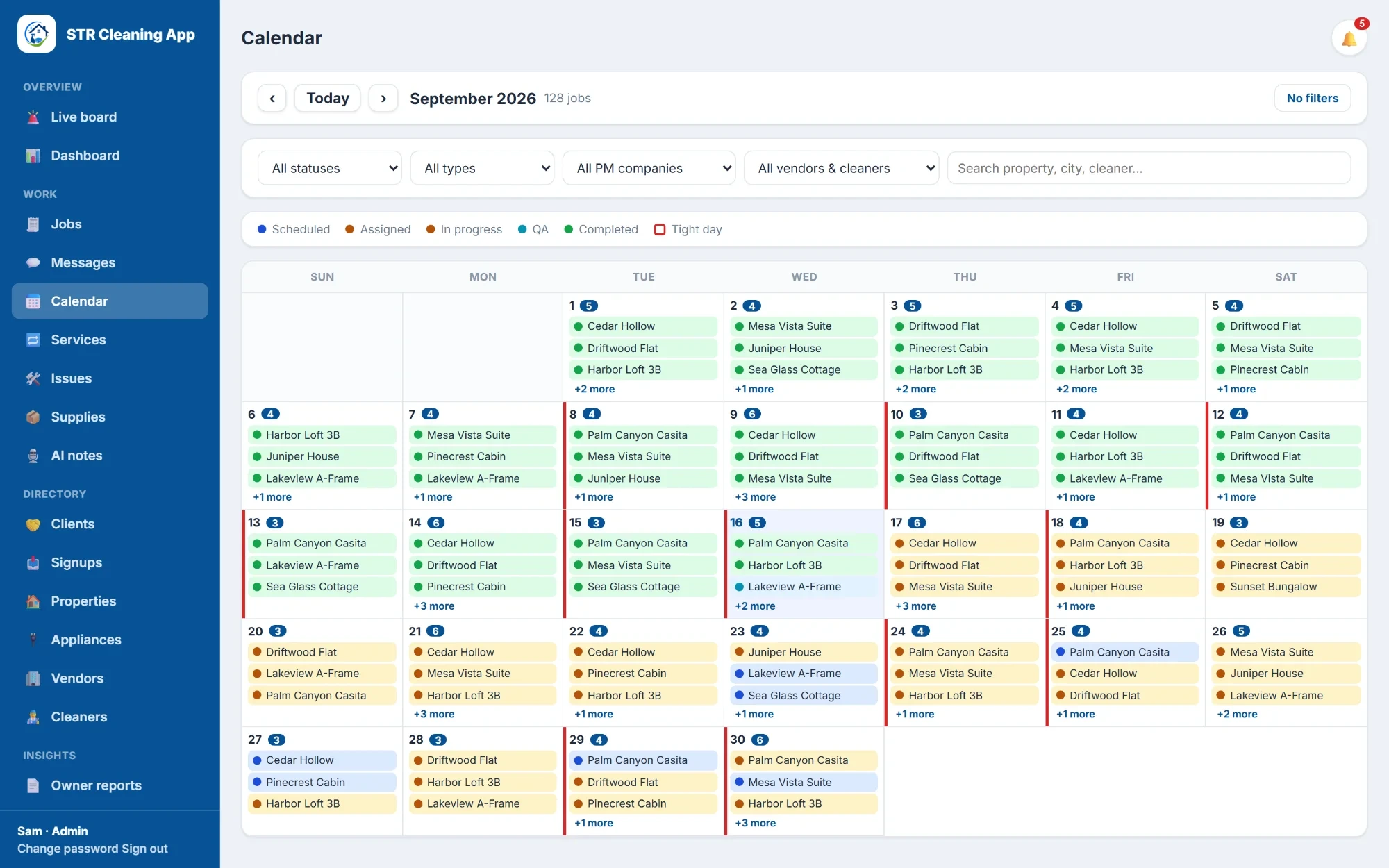
Bookings turn into cleaning jobs on their own
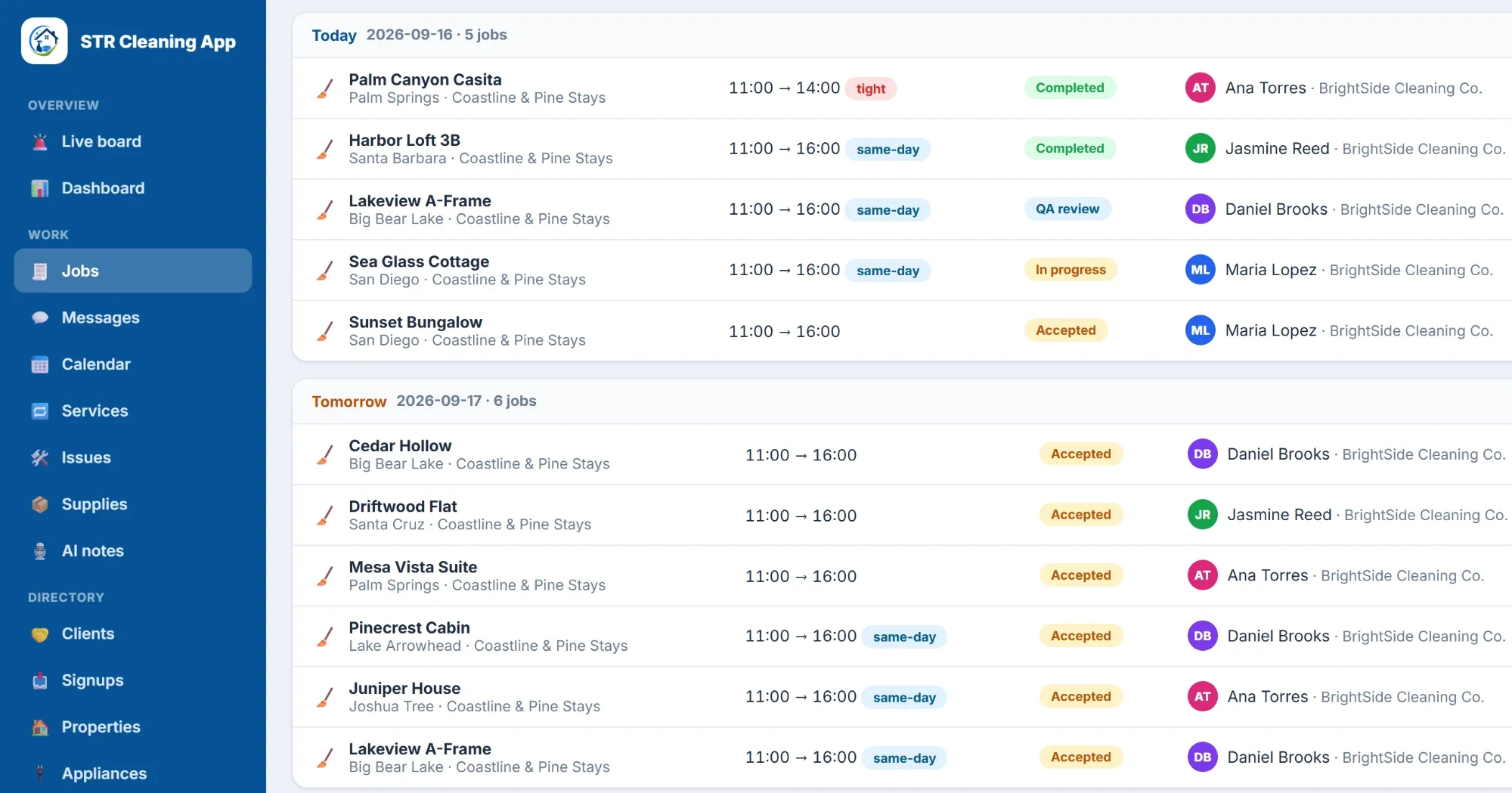
Every checkout from your booking system becomes a job with its cleaning window, checklist and cleaner. When a booking moves, the job moves with it; when it's cancelled, so is the clean.
- Same-day and tight turnovers flagged before they become a problem
- Month calendar and a by-day list of every clean
- Jobs offered to the cleaning company or cleaner you choose, automatically if you want
AI chat for cleaners
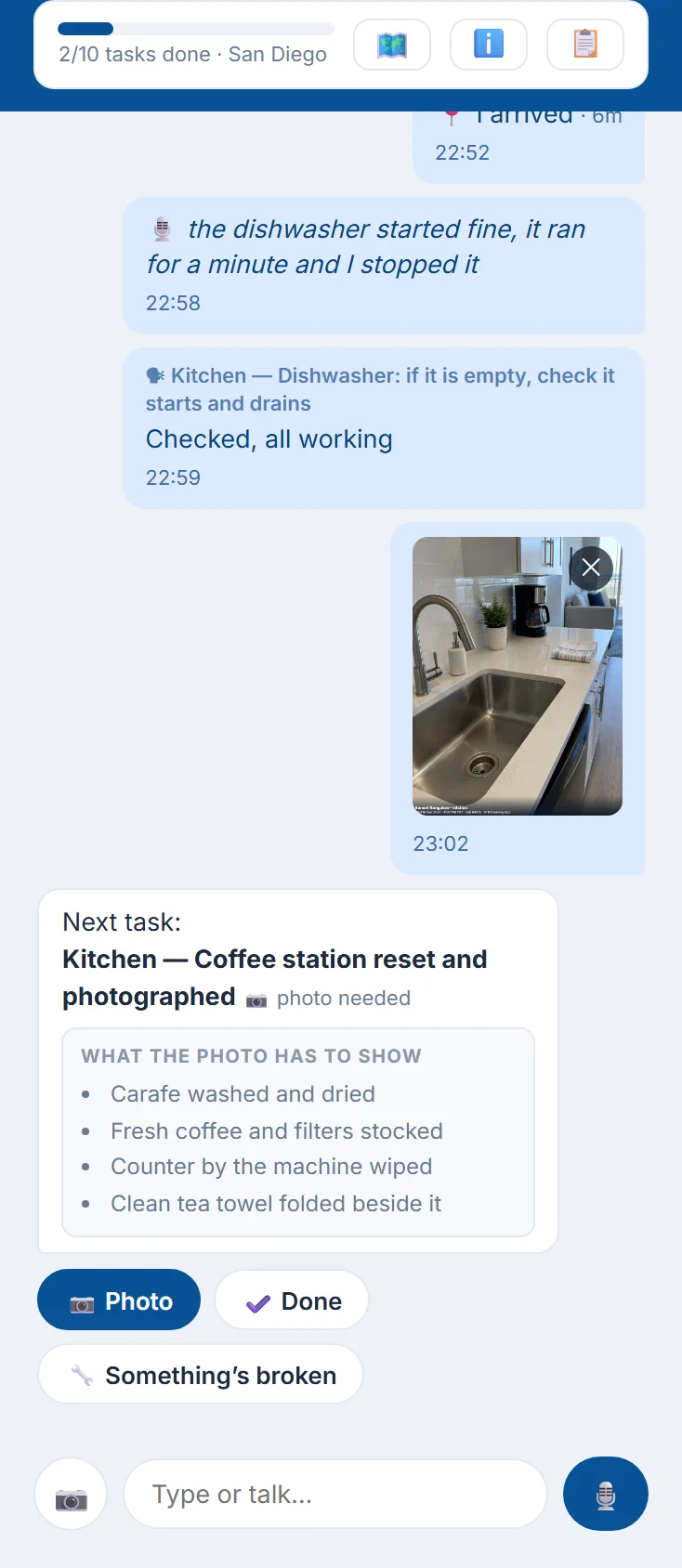
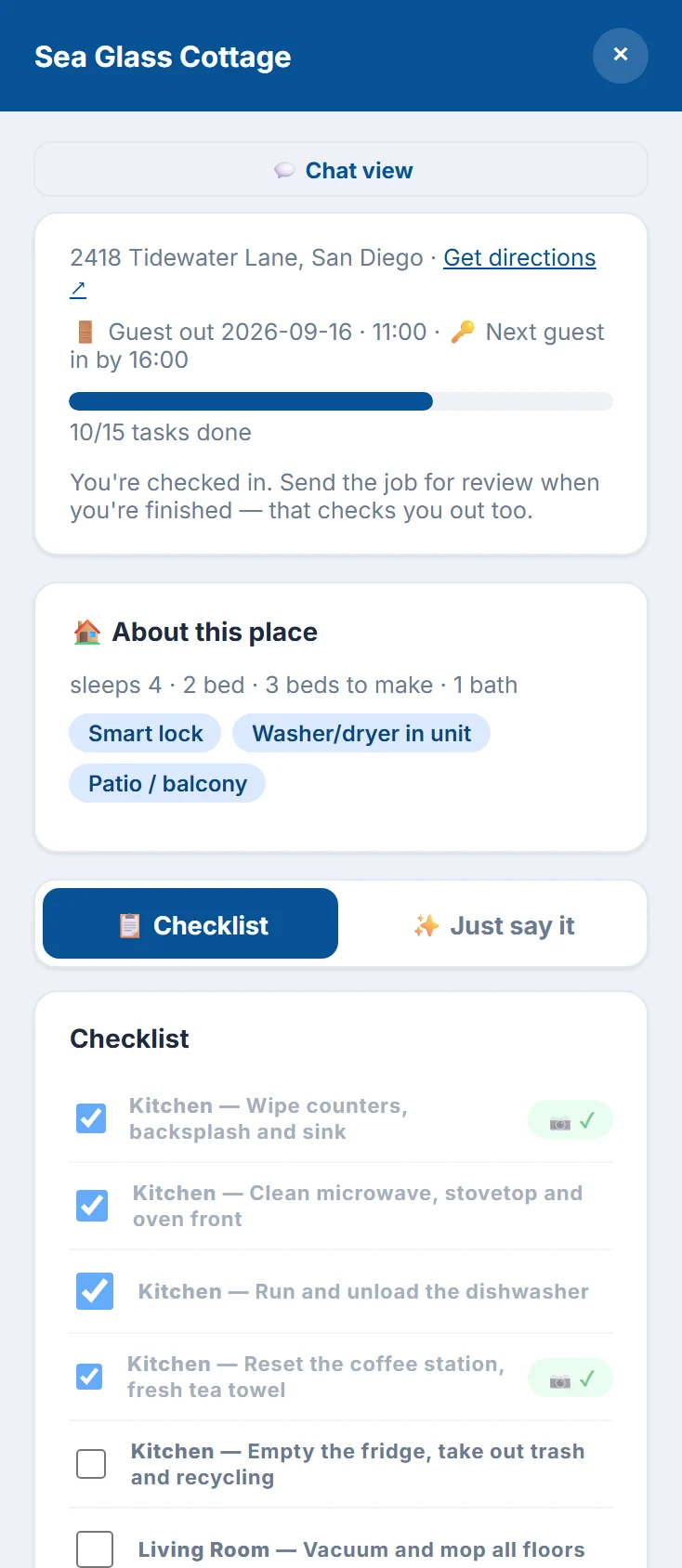
A chat, not a checklist
The job opens as a conversation: one task at a time, exactly what each photo has to show, and questions a camera can't answer. Cleaners type or talk in their own language, and voice notes are written out and filed against the right task.
- Directions, checkout and next check-in times on every job
- Check-in confirms they're really at the property
- Works with no signal and sends everything when it's back
AI photo grading
Every photo graded before it reaches you
Each photo is scored against the standard for that property: surfaces, floors, linens and staging, clutter and fixtures. How strict the grading is can be set for each client, and it can compare against photos of each room staged your way.
How the grading works →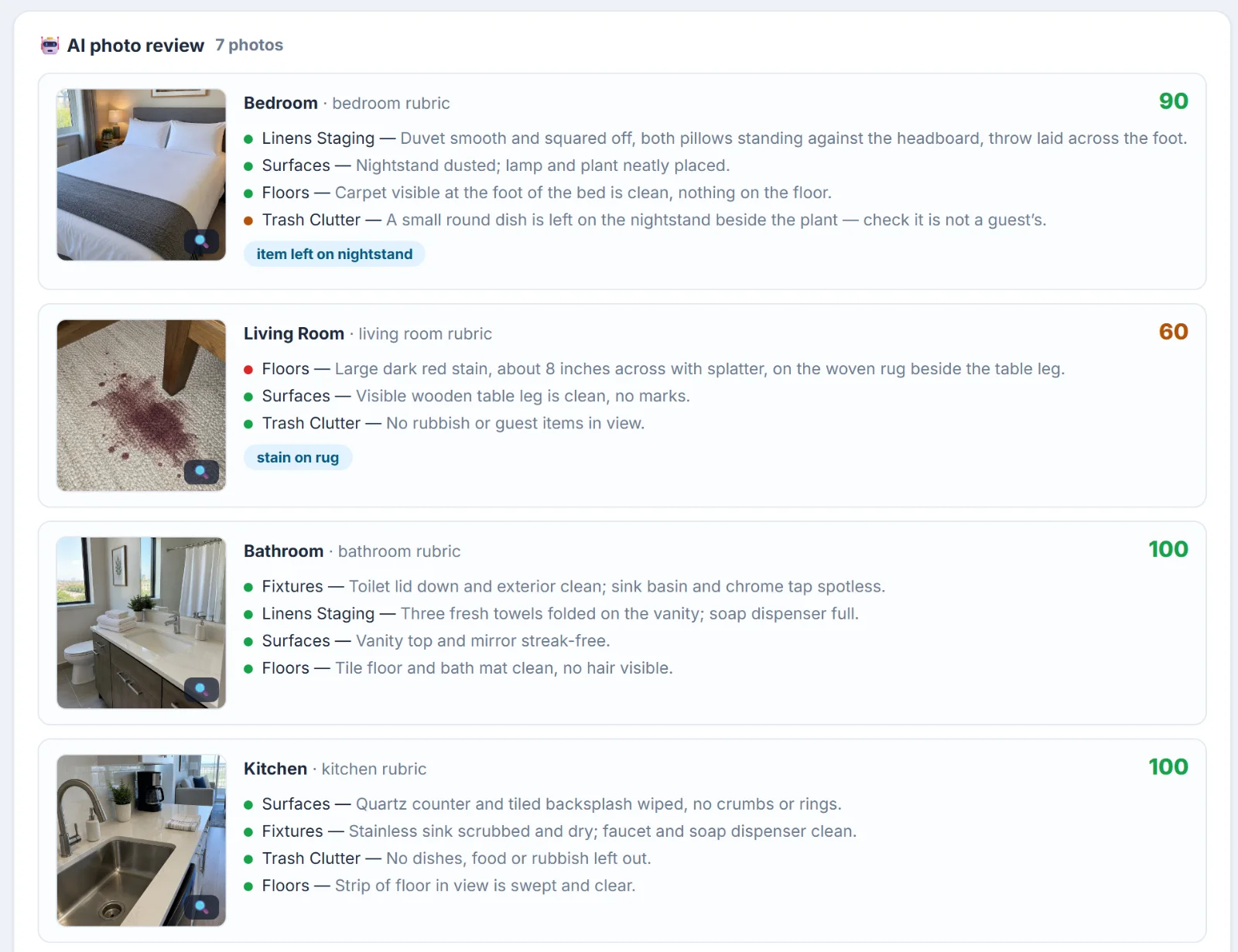
Photo proof and claim packs
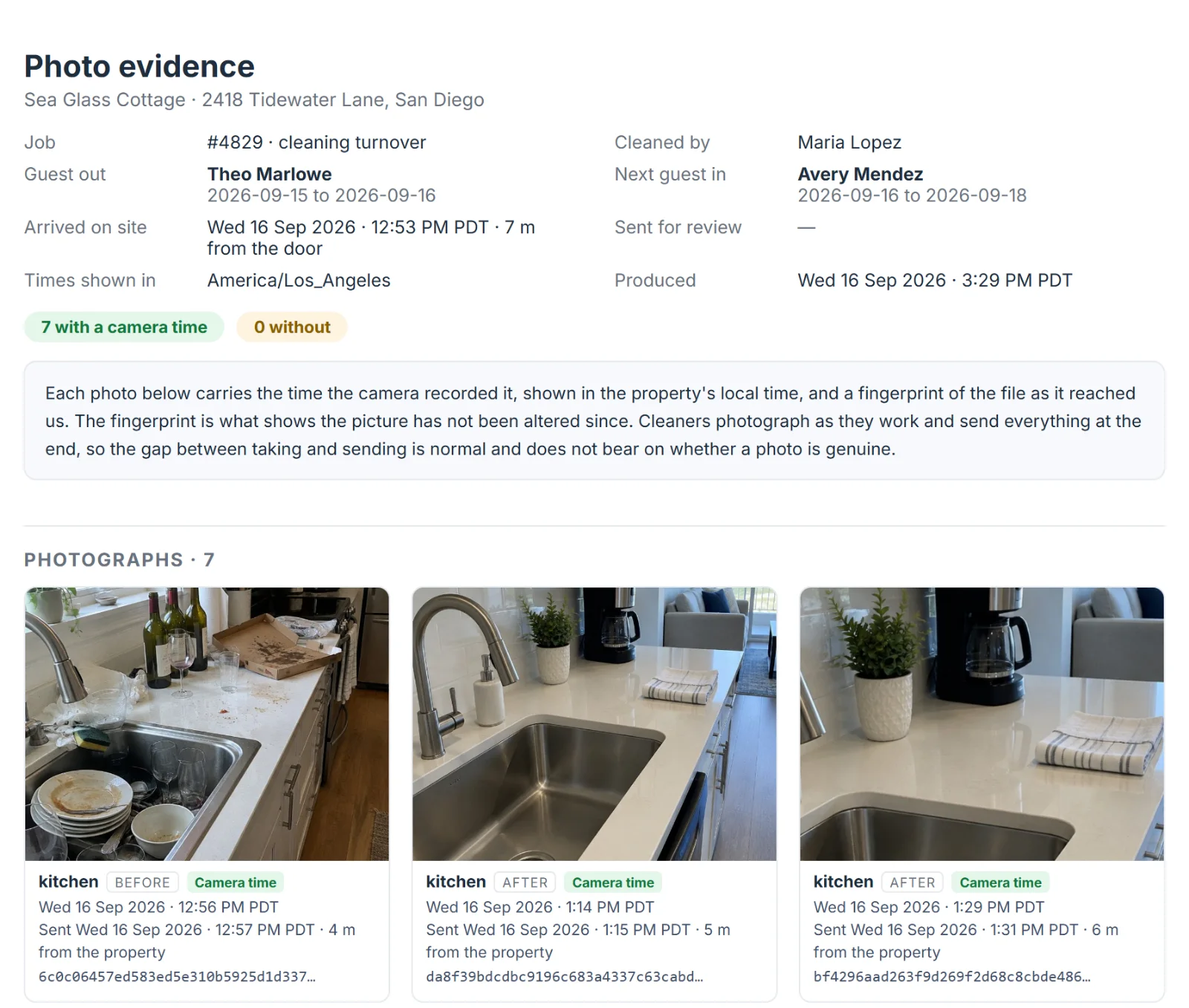
Photos with the date and time burned in
Every photo carries the property, the room and the time the camera took it, in the property's own time zone. A fingerprint of each file shows it hasn't been edited since. When a guest leaves damage, one click gathers the photos, times and the cleaner's report into a claim pack for Airbnb.
- Photos taken early and sent later keep the time they were taken
- Shows how far from the property each photo was sent
- Print the claim pack or save it as a PDF

Messages
Talk to cleaners in the app, not on WhatsApp
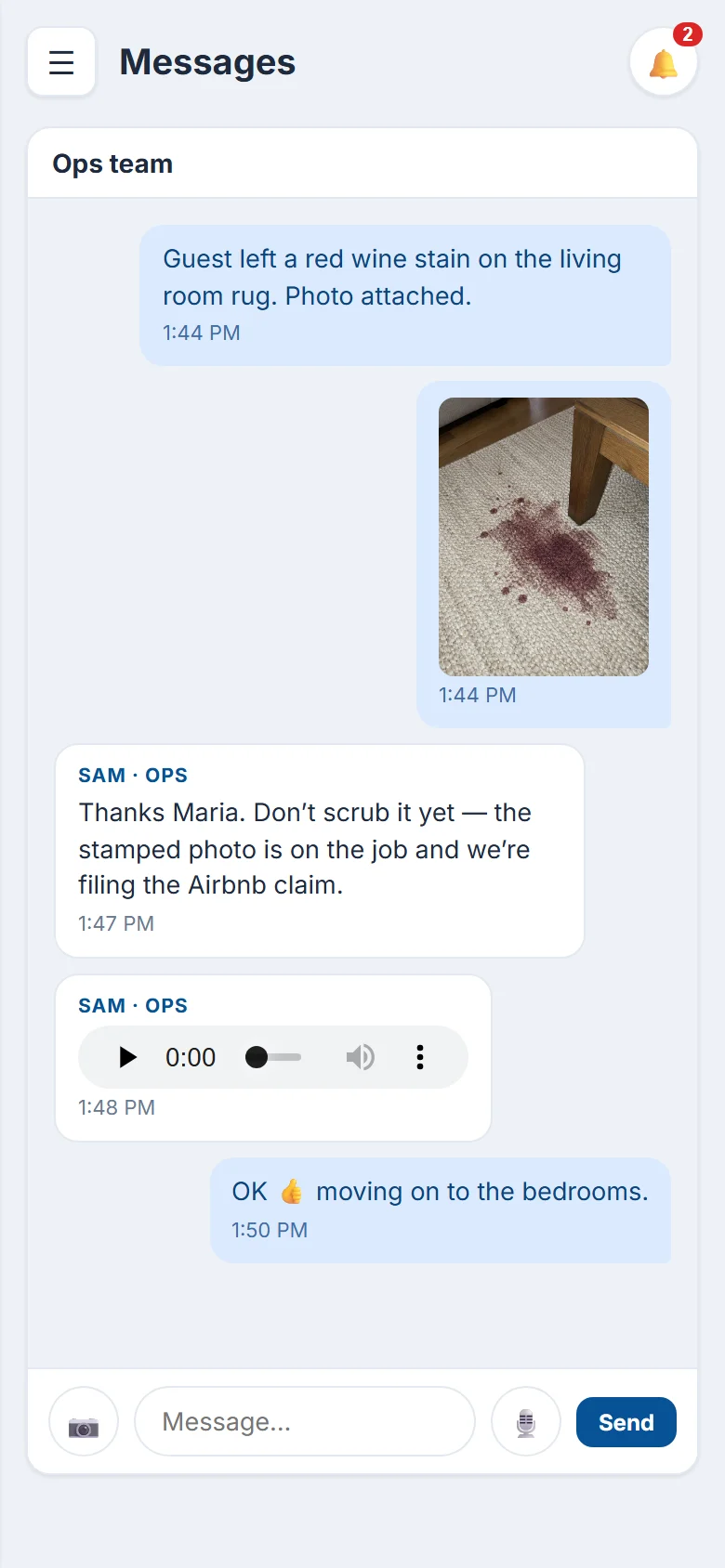
Messages, photos and voice notes between your team and the people doing the work: one to one, or a group that includes a cleaning company's manager. Every conversation is kept with your records.
- Your team can start the conversation
- Unread badges and phone alerts
- Full history kept
Issues and work orders
What cleaners find on site doesn't get lost
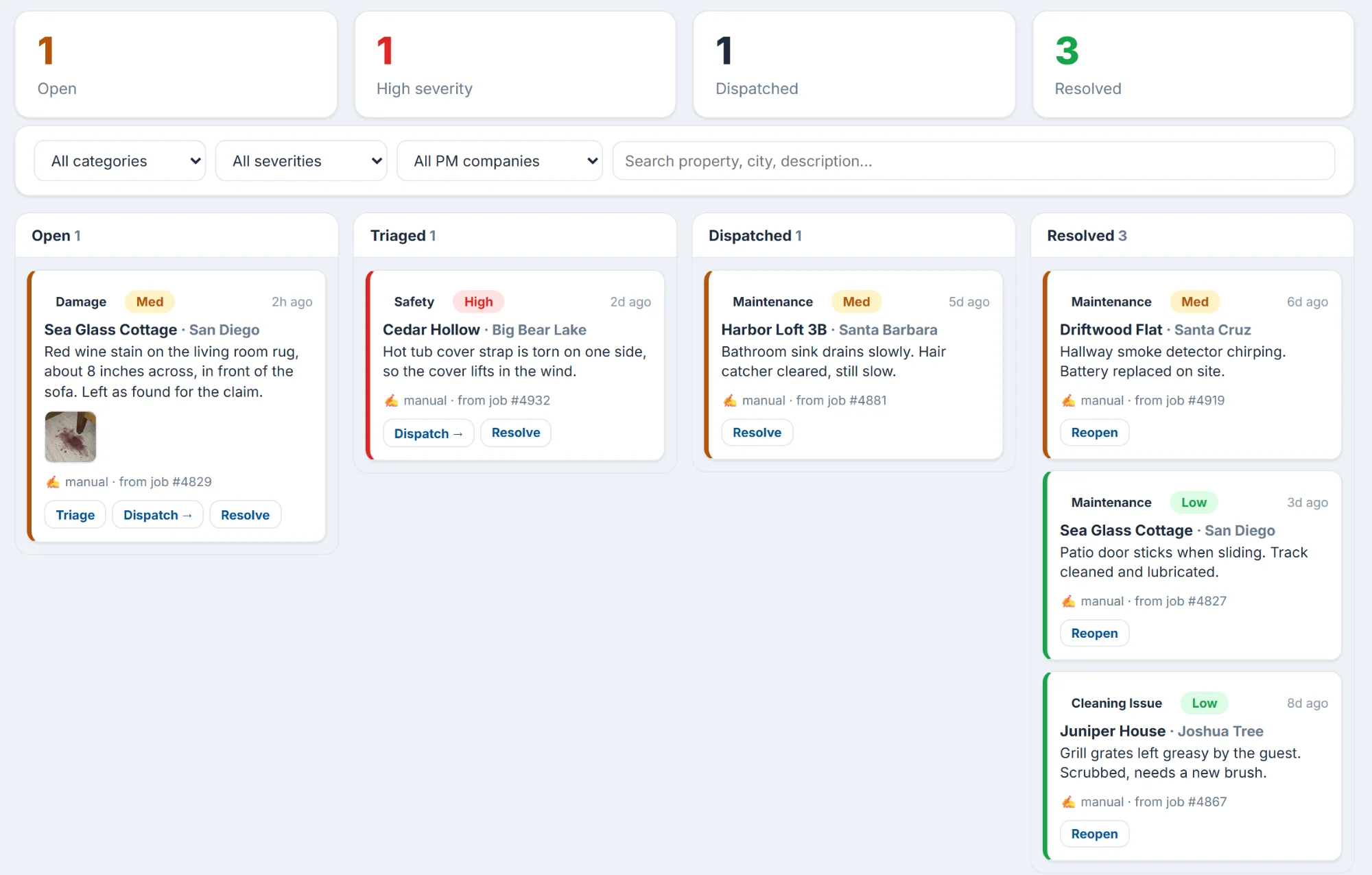
A cleaner reports damage or a breakage from the room, with a photo. It lands on a board your team works through, and one tap sends it to a maintenance company as a work order.
- Category, severity and the job it came from
- Triage, dispatch and resolve, with the full history
Appliances
Fixed on the spot, or claimed on the warranty
Every appliance in every property, with its manual and troubleshooting steps for that model. Cleaners are walked through the fix; if it's still broken, the warranty is checked first and the work order lists every step already tried.
How appliances work →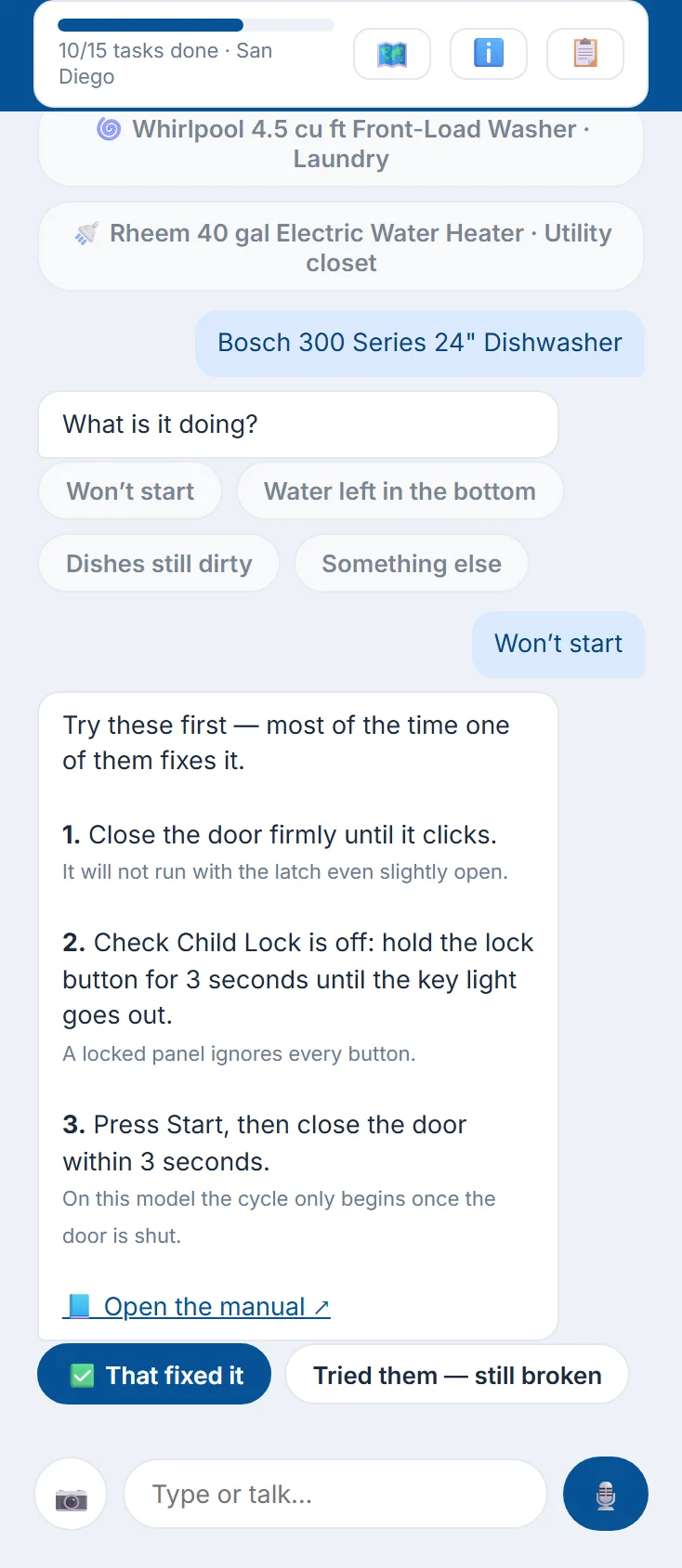
Owner reports
A report owners open without logging in
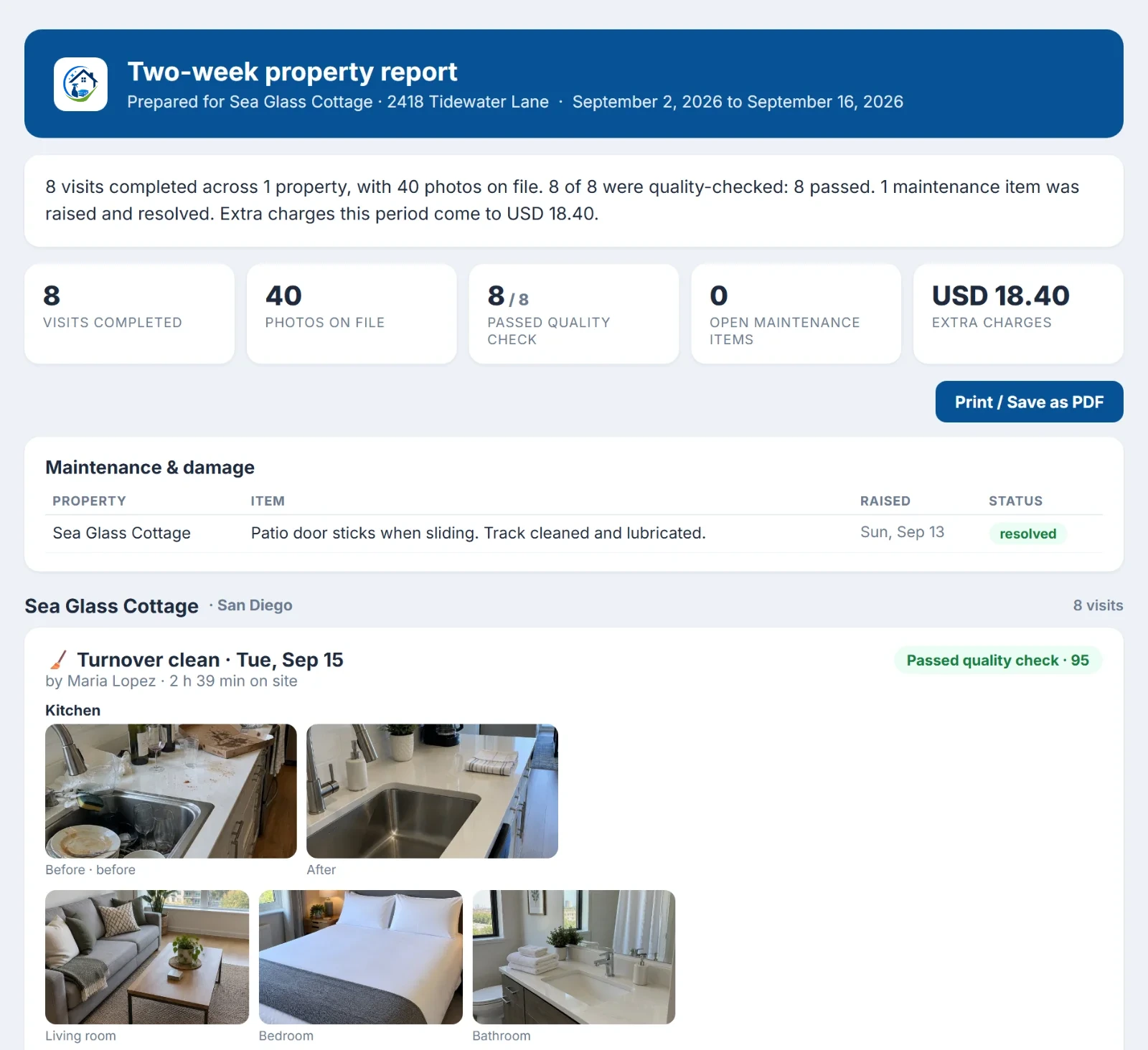
Send an owner a link for any period: every visit, before and after photos, the quality check, maintenance and, if you choose, the charges. They can read it on a phone or save it as a PDF.
Crews and scorecards
Know who to send where
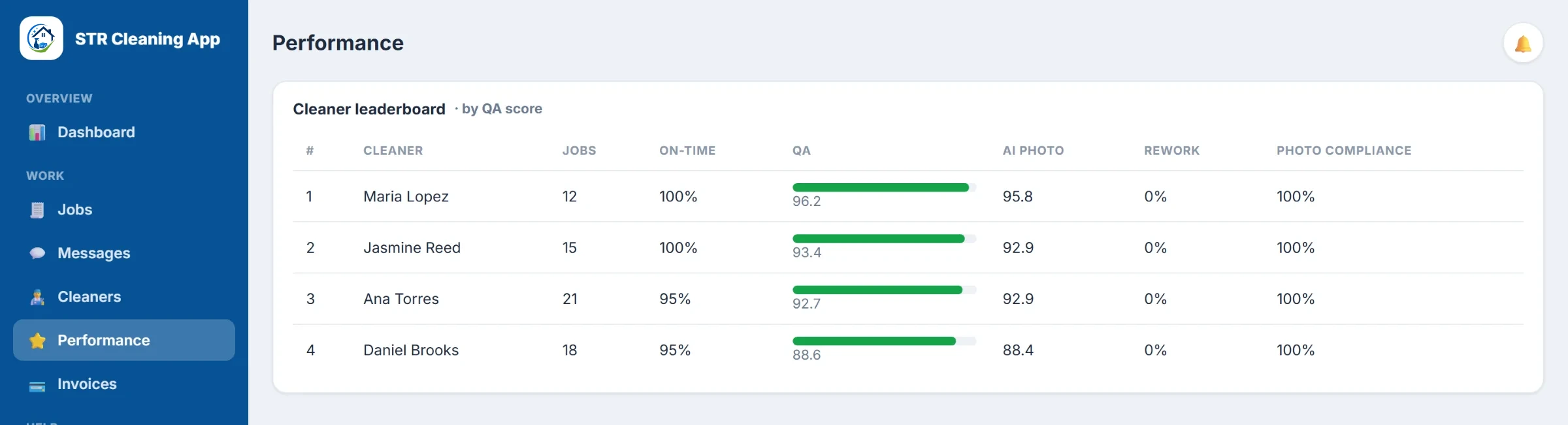
Every cleaner has a scorecard: jobs done, on-time arrivals, quality and AI photo scores, redo requests and photo compliance. Cleaning companies see their own crew; you see everyone who works at your properties.
Supplies
Know what to buy before a guest runs out
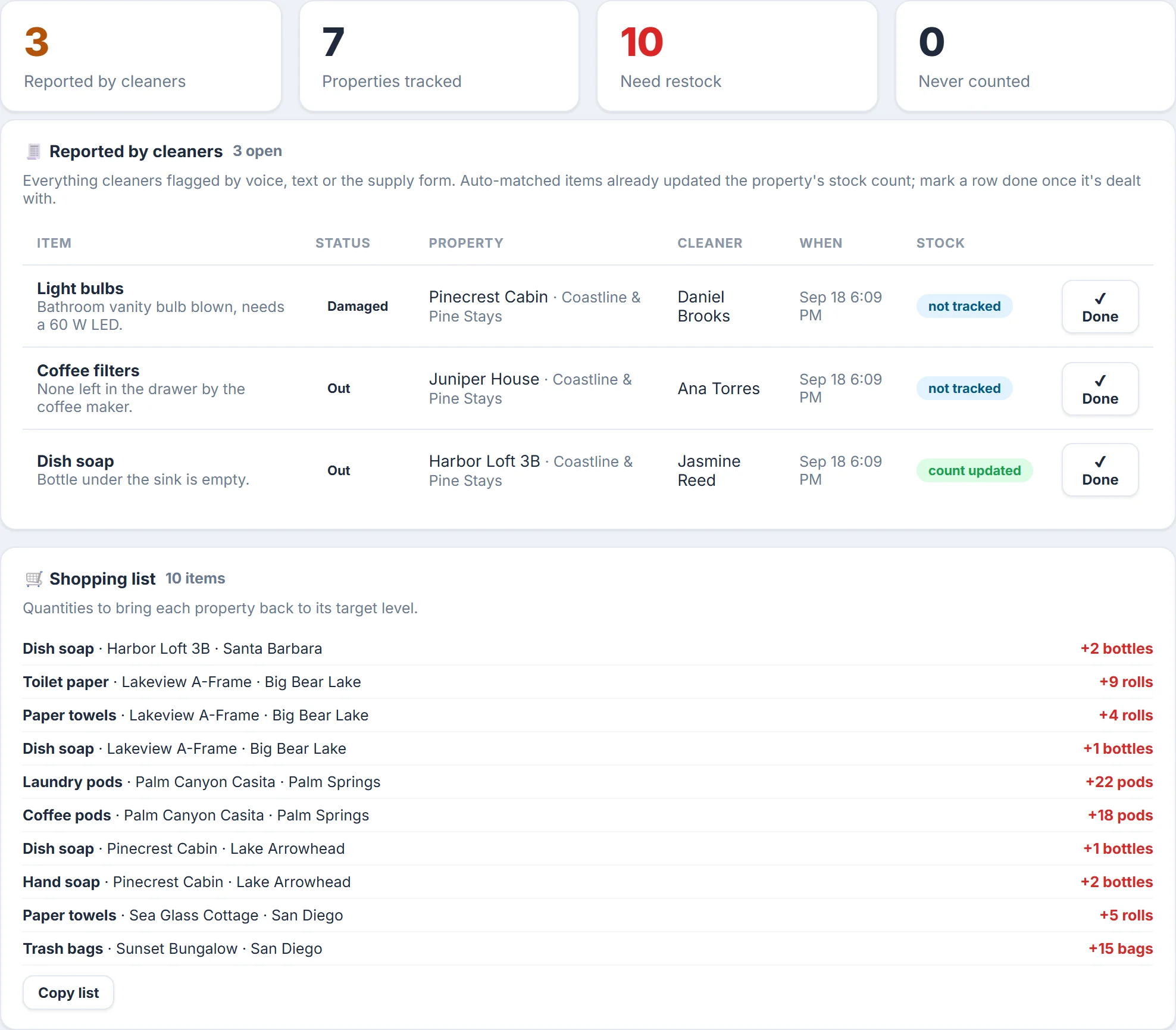
Every property has a target for each supply. Cleaners count stock in their checklist, or just say what's running low, and the count updates itself. When something drops to its alert level your team hears about it, and the shopping list works out how much each property needs to get back to target.
- Things cleaners flag that you don't track still reach your team
- Copy the shopping list in one tap for whoever does the run
- Owner reports list the supplies flagged on each visit
Recurring services
Pool, lawn and pest control, booked around your guests
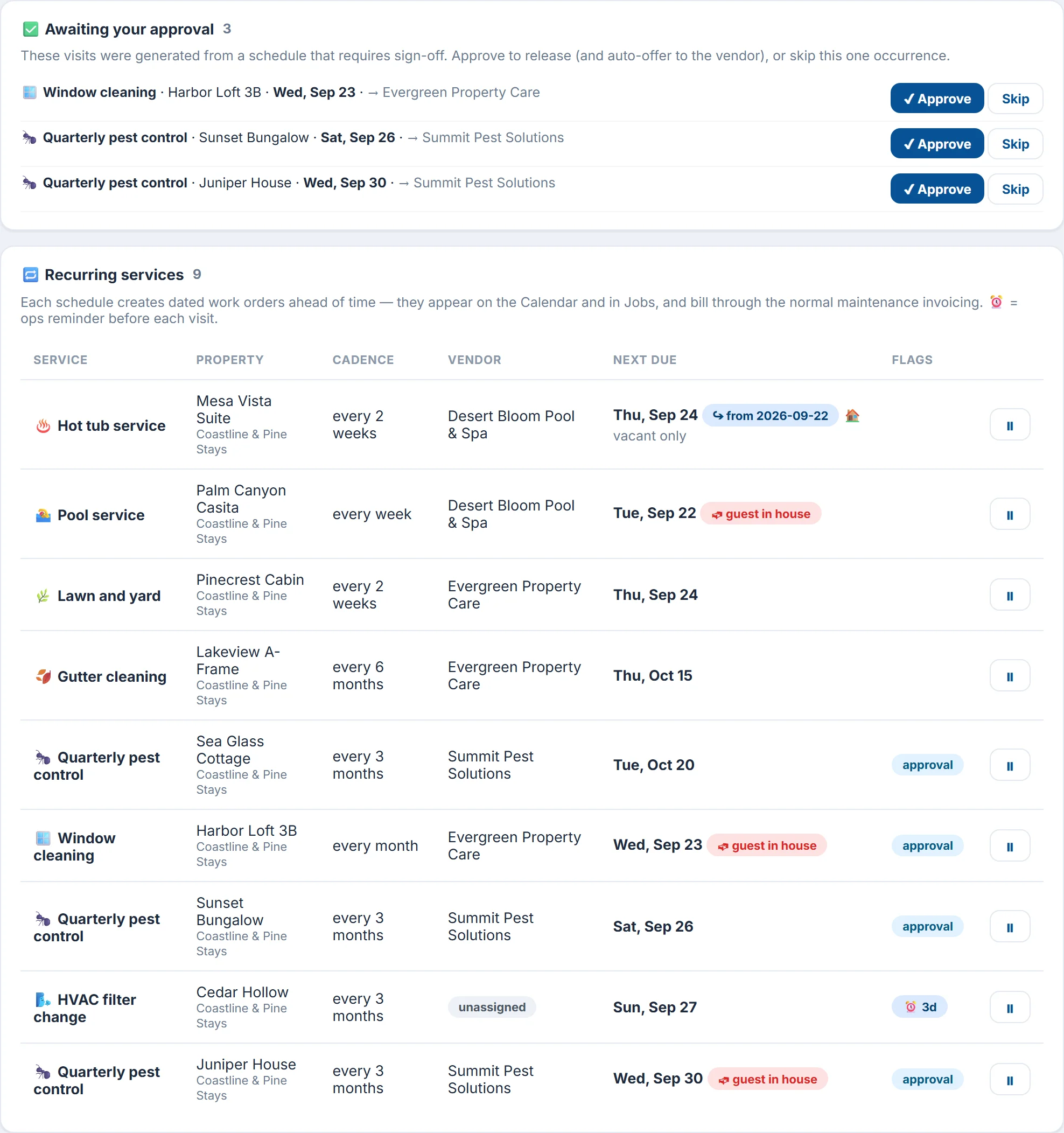
Set a service up once: what it is, how often and which vendor does it. Each visit is created two weeks ahead and offered to the vendor. If a guest will be in the house, the visit is flagged, or, for work that needs the house empty, moved to the nearest vacant day.
- Any service, every few days, weeks or months, for one property or all of them
- An optional sign-off before each visit goes out
- A reminder a few days before the visit
Invoices and timesheets
Invoices built from the cleans that actually happened
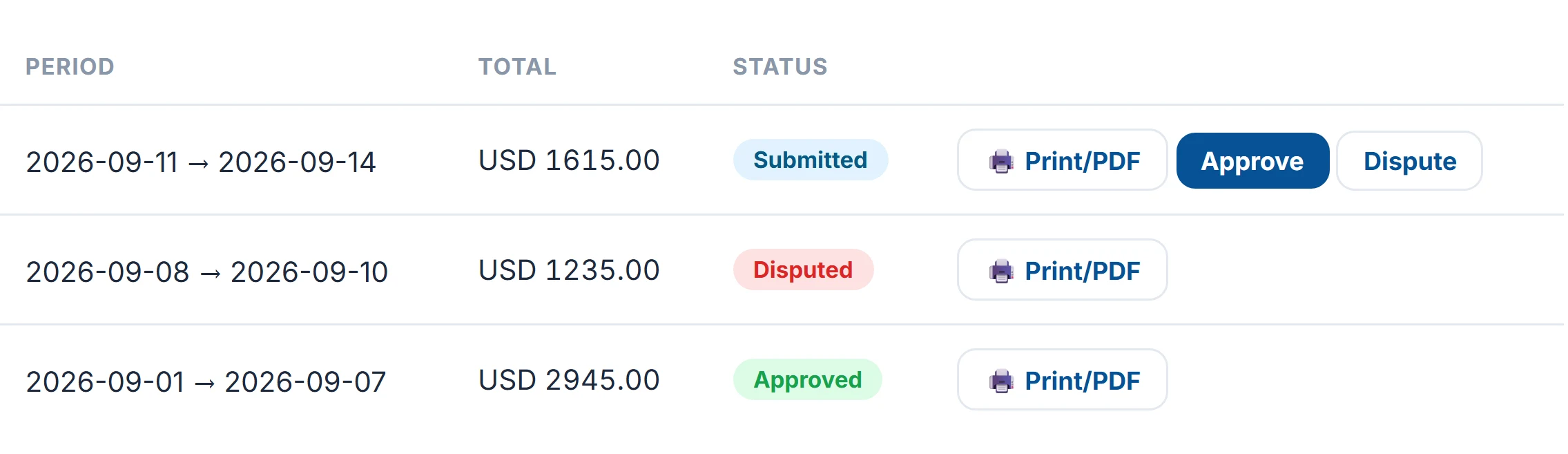
Your cleaning company builds each invoice from the jobs it completed at your properties, one line per job at the rate agreed in the app. You approve it, or dispute it with a reason, and they're told either way.
- A job can't be billed on two invoices
- Timesheets for cleaners you employ yourself: jobs, hours on site and estimated pay, as a spreadsheet file
Also included
A few more things in every plan
English and Spanish
Cleaners switch the app's language with one tap, and voice notes are understood in many more.
A weekly summary per client
AI writes a short brief of each client's week: cleans done, issues raised and how quality held up.
Connections
Works with your booking system
Connect once with your own login details, held encrypted. Your properties and bookings come in on their own. No booking system? Paste each property's Airbnb or VRBO calendar link instead. A direct Guesty connection is on its way.
See it with your own properties
We'll walk you through the app on a short call, or you can sign up and connect your booking system today.